
Windows guide
Uninstall Fokasu 1.0.0
Follow these three steps before installing the latest version of Fokasu.
-
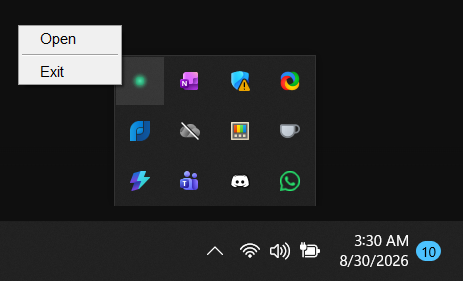
Close Fokasu
Close the Fokasu window. Then open the application tray, right-click Fokasu, and select Exit.
-
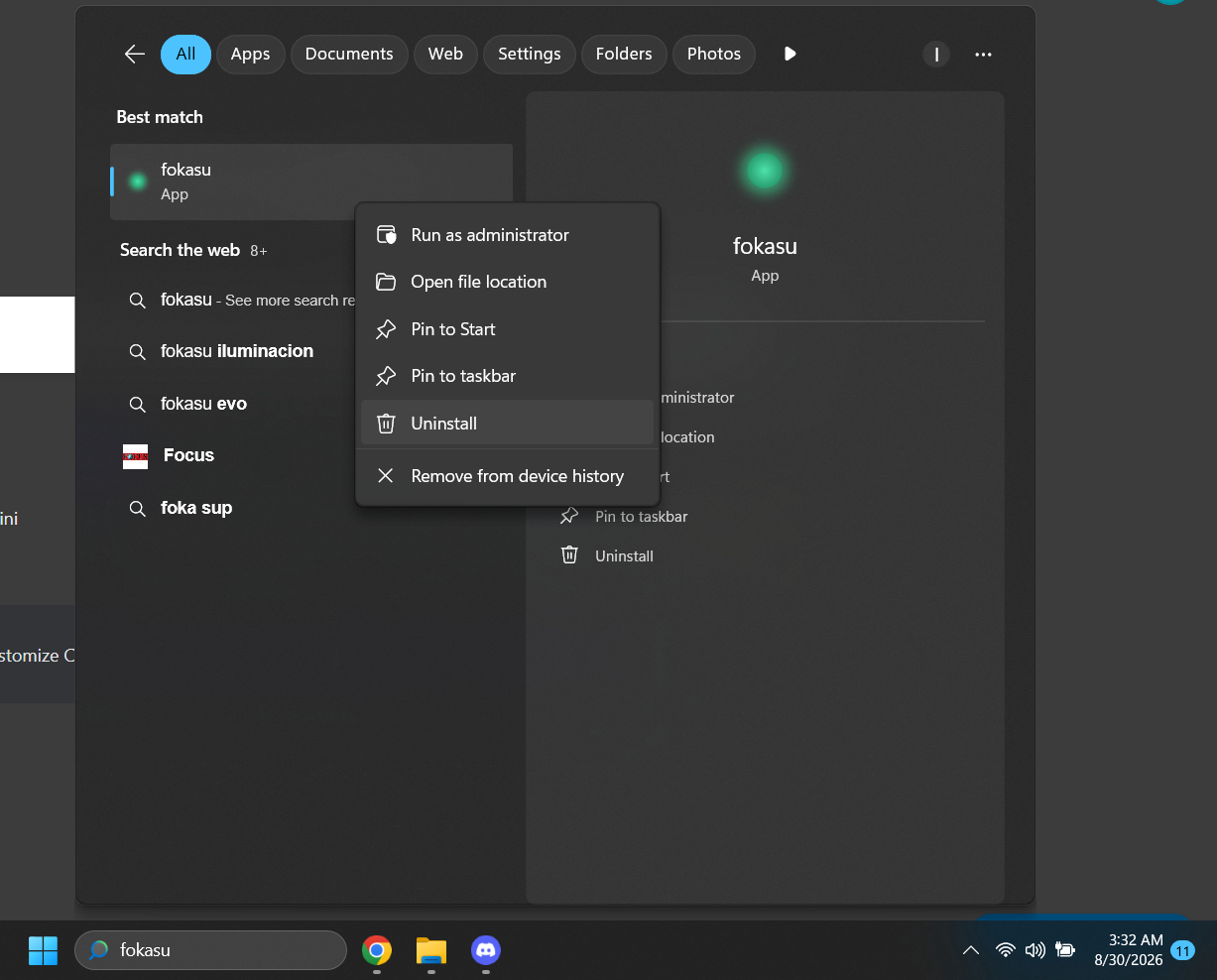
Start the uninstall
Search for Fokasu in the Windows search bar. Right-click it, then select Uninstall.
-
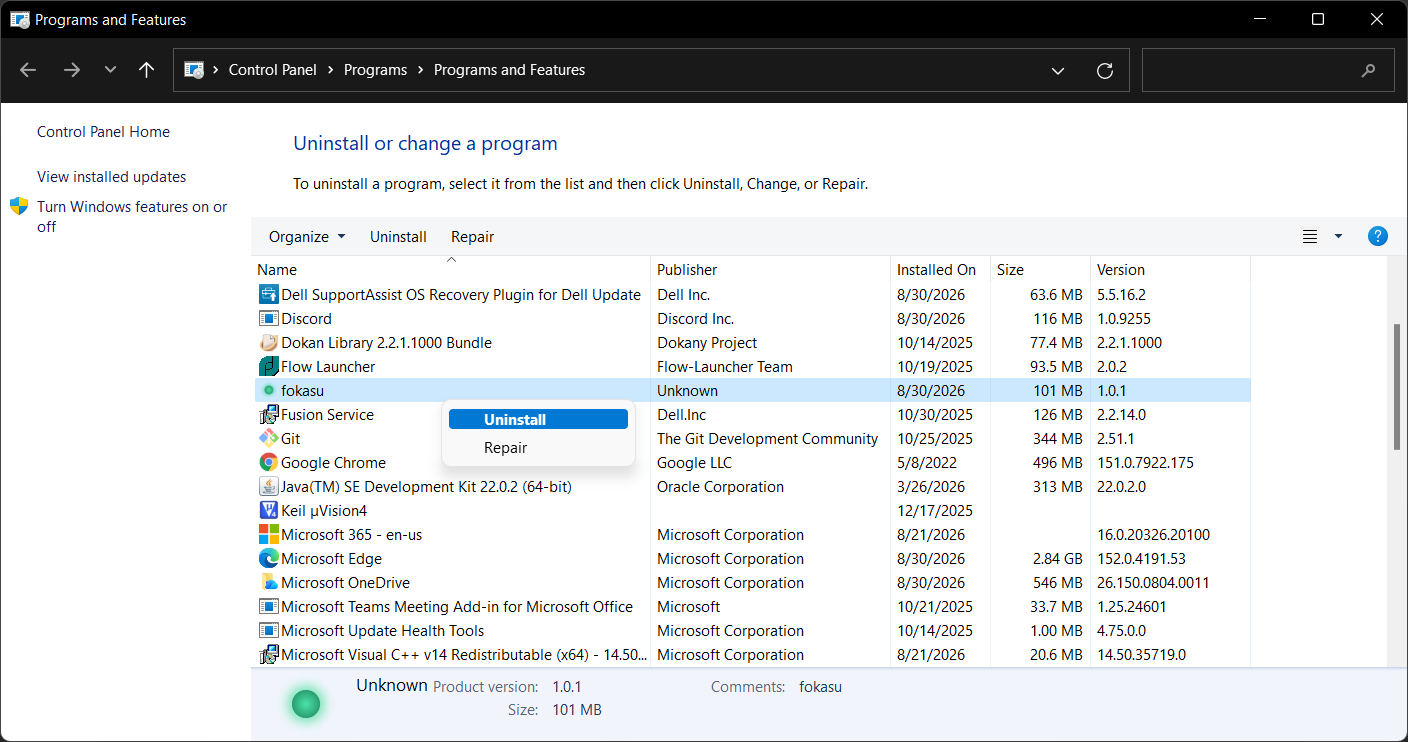
Remove Fokasu
Find Fokasu in the Programs and Features window. Right-click it, then select Uninstall.
You’re ready